How to E-Sign a Lease Online: Templates, Legality and Cost
Your new tenant is approved, and now the lease needs signatures. You shouldn’t have to drive across town, or sign up for a monthly plan, to get them. You can e-sign a lease online, and in the US an e-signed lease is generally as binding as a paper one.
To do it properly you need two things: a sound lease document, and a signing tool that records who signed and when. This guide covers both, what it costs, and the few lease documents e-signatures don’t cover.
Are E-Signed Leases Legally Binding?
Generally, yes. The federal ESIGN Act and the state-level Uniform Electronic Transactions Act (UETA) say a signature or contract can’t be denied legal effect just because it is electronic. That covers residential and commercial leases, renewals and addenda.
Whether a signature holds up depends on the evidence behind it. A good e-signature tool gives you:
- An audit trail: who signed, their email and IP address, and when the document was sent, viewed and signed.
- Tamper evidence: proof the lease hasn’t changed since it was signed.
- A copy for everyone: every tenant and the landlord receive the final signed document.
A typed name at the bottom of an email or a pasted signature image gives you none of that. That is why a dedicated tool is worth using even for a single lease. For the full list of requirements, see our electronic signature compliance guide.
What e-signatures don’t cover
ESIGN keeps certain notices out of its scope. These include notices of default or eviction under a rental agreement for a primary residence. You can e-sign the lease itself. An eviction notice still has to be delivered the way your state requires.
This is general information, not legal advice. If you’re unsure about a specific document, check with a lawyer.
Where to Get a Lease Agreement Template
E-signature tools sign the lease you bring. They don’t decide what goes in it. Lease rules are set by each state: security deposit limits, required disclosures, notice periods and more. A generic “national” template can miss what your state requires.
Good places to start:
- Your state’s official landlord-tenant guide. Many state attorneys general and housing agencies publish one that explains what a lease must include.
- A local landlord or apartment association. Many provide state-specific lease forms to members.
- A local real estate attorney. Worth it for your first lease or anything unusual, and you can reuse the result.
Whatever template you use, check the federal rule on lead-based paint. For most housing built before 1978, landlords must give tenants a lead hazard pamphlet and a disclosure before the lease is signed. The disclosure can be attached to the lease or written into it, and you must keep a signed copy for three years. See the EPA’s real estate disclosure rule for details.
SealItDone doesn’t provide lease templates. You fill in your lease, save it as a PDF, and send it for signature. That means any template works, including the one you already use.
How Much It Costs to Sign a Lease Online
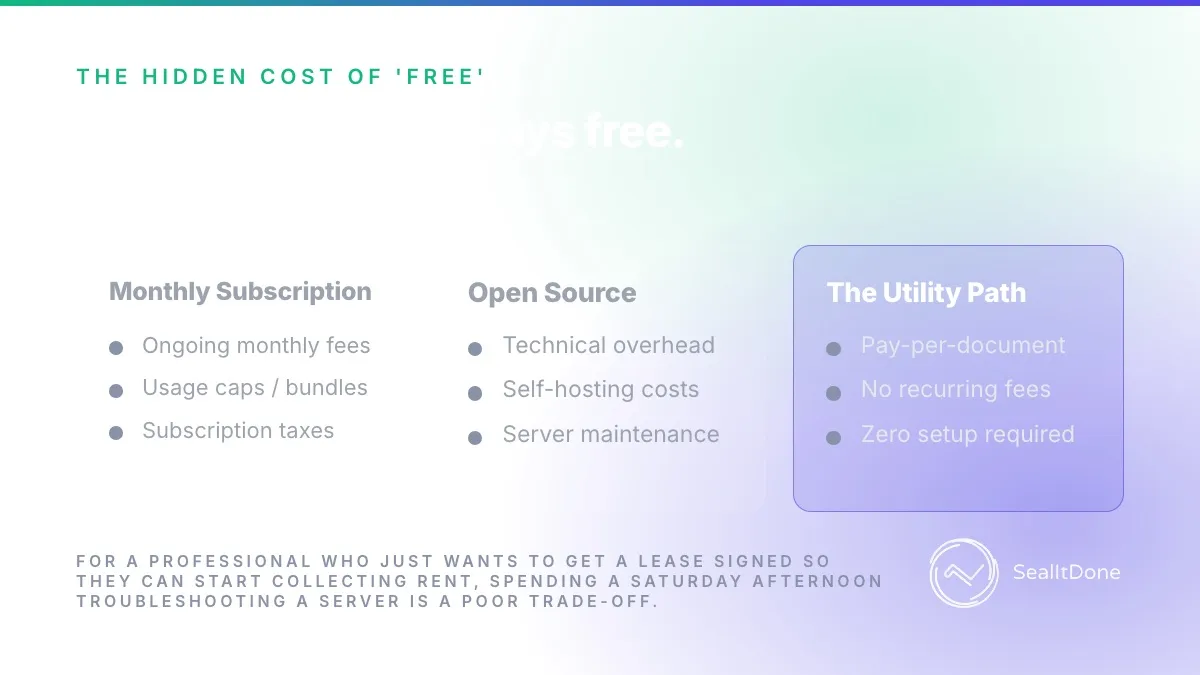
Most e-signature tools are built for sales teams and priced as monthly or yearly plans. If you sign a few leases and renewals a year, you pay for months you don’t use. Here is how that compares with paying per document:
| Leases and renewals per year | Pay per document ($2.99) | A typical $19/month plan |
|---|---|---|
| 1 | $2.99 | $228 |
| 4 | $11.96 | $228 |
| 10 | $29.90 | $228 |
At $2.99 per document, it takes about 76 documents a year to match a $19-a-month plan. Some services also have free plans with monthly limits. Our comparison of the cheapest e-signature services shows what each one costs, and our pay-as-you-go guide explains the math.
There is also the self-hosted route: free, open-source signing tools you run on your own server. They cost nothing to license but take real setup and upkeep. Our guide to the hidden costs of self-hosted e-signatures covers what that involves.
How to E-Sign a Lease with SealItDone
- Upload and assign. Upload your lease PDF and add each signer’s name and email: every adult tenant, any co-signer and yourself. Then place the signature fields.
- Pay $2.99. A one-time payment through Stripe for that document. There’s no subscription and no limit on signers.
- Seal it done. Each signer gets a secure email link and signs from a phone, tablet or computer. They don’t need an account. When everyone has signed, all parties receive the sealed PDF with its audit certificate.
SealItDone deletes the file from its servers after emailing it to everyone, so save your copy as soon as it arrives. The audit trail is kept.
Tips for Signing Leases Online
1. Start from a clean PDF
Write the lease in your template, fill in the tenant details, and export it as a PDF before you upload it. Check the names, dates, rent and deposit before you send it. Once it’s sealed, any change means a new document.
2. Add every signer to the same document
Every adult who will live in the unit, and any co-signer, should sign the same lease. Signers are unlimited, so it still costs $2.99. Attach required disclosures, such as the lead-based paint disclosure, to the same PDF so they’re signed together.
3. Keep the sealed copy and know how to verify it
Save the sealed PDF and audit certificate somewhere safe, such as Google Drive or Dropbox. The sealed document carries a QR code that opens its audit trail. Anyone can scan it, or go to the verification page, to check who signed and when.
Lease E-Signature FAQ
Are e-signatures on leases legally binding? Generally, yes, under the ESIGN Act and UETA, provided the signing process shows intent and keeps a reliable record. Some notices, such as eviction notices for a primary residence, fall outside ESIGN.
Do tenants need an account to sign? Not with SealItDone. Tenants get a secure email link and sign from any device.
How much does it cost to sign a lease online? With SealItDone, $2.99 per lease, however many tenants sign. The subscription plans we compared cost $5 to $30 a month as of November 2026.
Can I e-sign a lease renewal or addendum? Yes. A renewal, addendum or pet agreement is its own document, so each costs $2.99.
Where do I get a lease template? Start with your state’s official landlord-tenant guide, a local landlord association, or a real estate attorney. Lease rules vary by state, so avoid generic templates that don’t match yours.
The Bottom Line
E-signing a lease is legal, quick and cheap when you have a sound lease and a tool that keeps a proper audit trail. You don’t need a subscription to do it. Bring your own lease, send it to every tenant, and pay only for the documents you sign.